Simulation of the old ATS, SSI and SACEM systems of the Istanbul Metro
The user interface consists of multiple pages. The usual page during operation is a mimic diagram that shows the signal objects on an area inside the line.
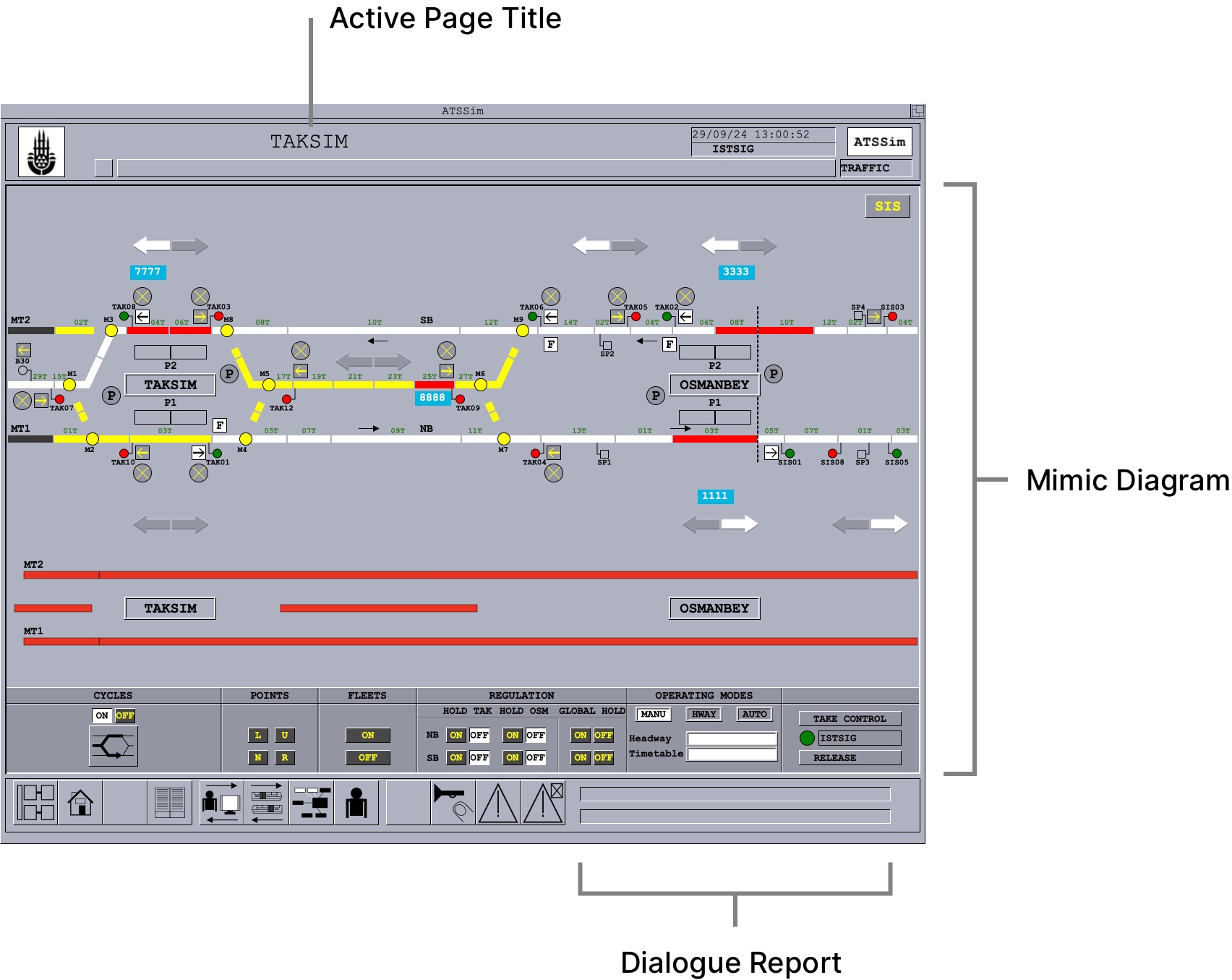 Diagram of the user interface
There is a set of buttons available at any time for navigation between different pages.
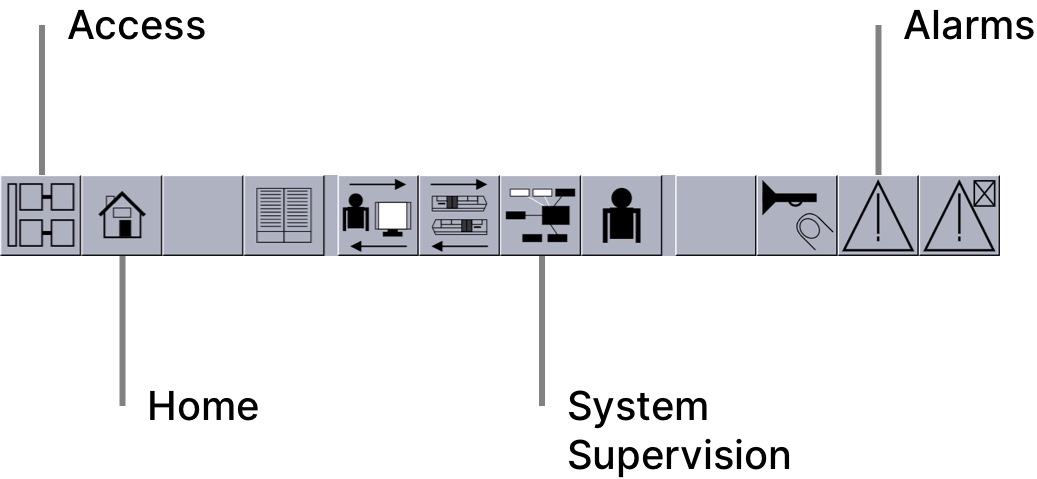 Navigation buttons
The home button takes the user to the last used mimic diagram. The other buttons take the user to the respective screen/window.
The access page allows for direct access to any of the 3 mimic diagrams of the line.
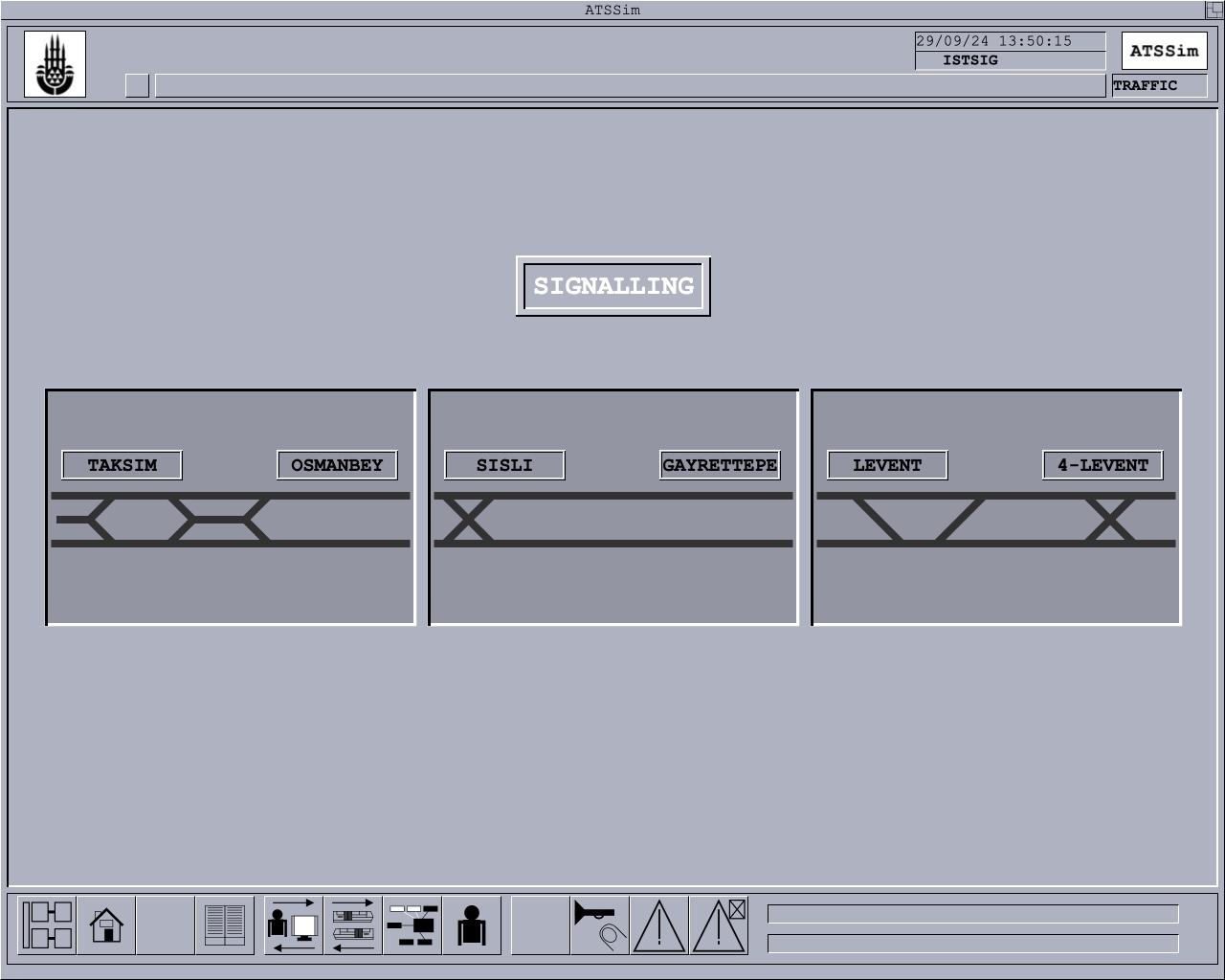 Screenshot of the access page
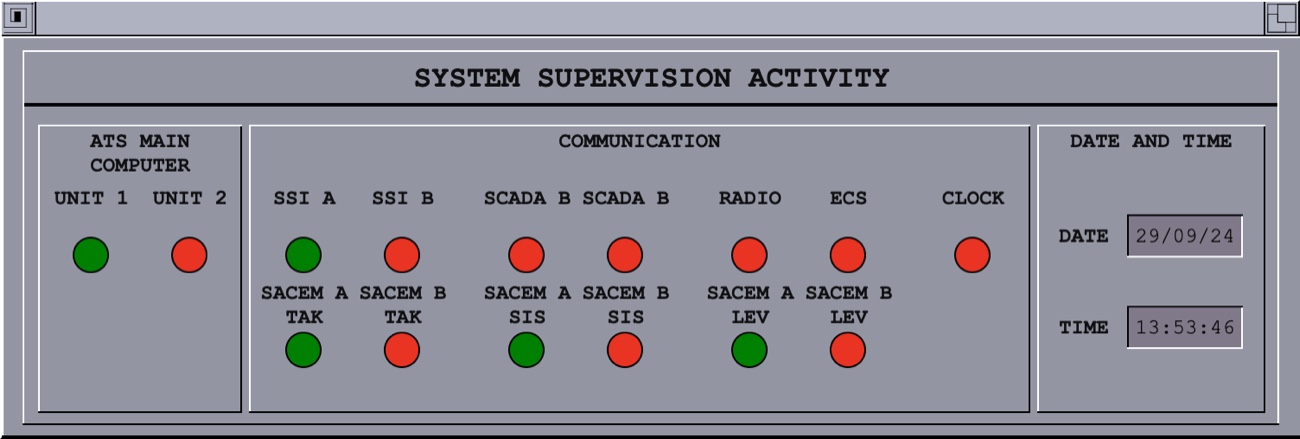
The system supervision activity window displays the current system states.
The alarm display lists the current alarms and logged events. Since there is currently no support for failure simulations, only events are listed.
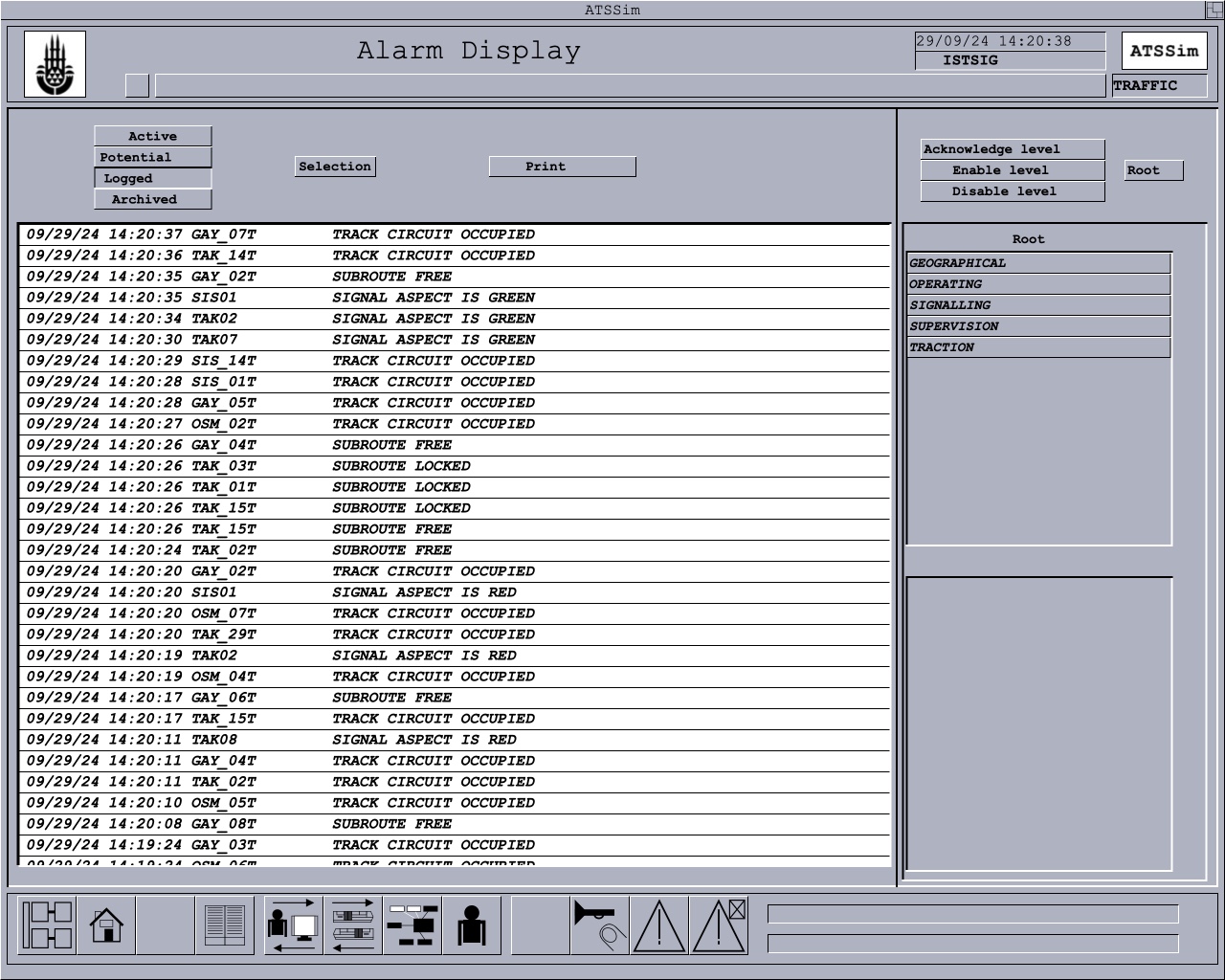 Screenshot of the alarm display